










How to Download All Slides from a Pinterest Carousel
Why Pinterest saves only the first slide of a carousel, how to get every image and video, and how to open the ZIP on Android, Windows and Mac.
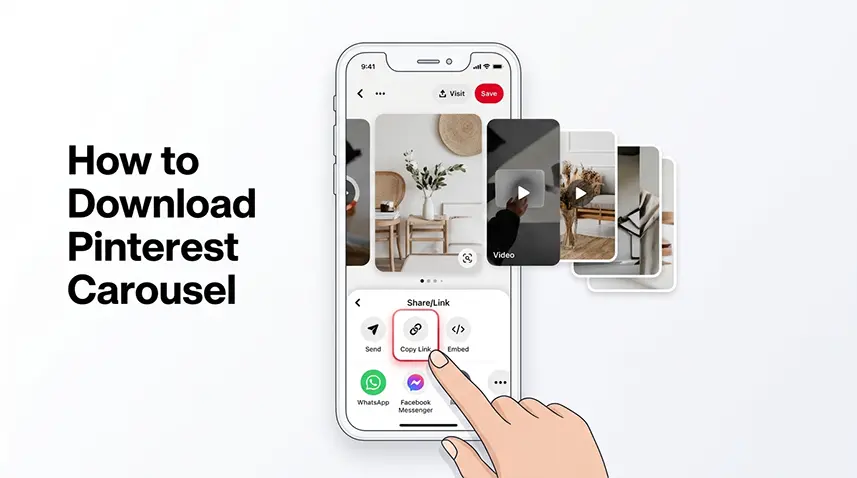
A Pinterest carousel holds several images or videos in one Pin, but saving, sharing or screenshotting it usually gives you only the first slide. Here is how to get the whole set.
How to tell a Pin is a carousel
A carousel Pin shows dots or arrows, or lets you swipe from one slide to the next. Copying its link gives you one link for the whole set, and that is the link to use.
Why you only get the first slide
Saving, sharing and screenshots work on what is shown, which is the cover. The other slides sit inside the same Pin, so they need a tool that reads the Pin itself. Paste the carousel Pin’s link, not the address of a single image.
Get every slide
Paste the Pin link into the Pinterest Carousel Downloader. Vidizia lists the slides, lets you preview each one and gives each a download button. For the whole set, use Download All as ZIP. Single downloads suit one or two slides; the ZIP suits all of them. The main video downloader also shows the slides if you paste a carousel link there.
Open the ZIP file
The ZIP is named like pinterest-carousel-… and holds the slides as slide-01, slide-02 and so on. To open it:
- Android: open it in the Files app and choose Extract.
- Windows: right-click it and choose Extract All.
- Mac: double-click it.
- iPhone: open it from the Files app.
If you cannot find the ZIP, see where downloaded files are saved.
Slides that are videos
Some slides are short moving clips. Vidizia gives you the moving file instead of a still frame, so it may arrive as a video. Why that happens is explained in why a Pinterest GIF saves as a video.
If a slide is missing
- The ZIP skips any slide it cannot download, so it can hold fewer files than the carousel has slides. Count the slides in the preview, then try again in a few minutes, or use the download button of the missing slide.
- If no slide can be downloaded, the links may have expired. Paste the Pin link again.
- If you see Too many requests, wait a moment before building another ZIP.
Frequently Asked Questions
How do I download all images from a Pinterest carousel?
Paste the carousel Pin’s link into the Pinterest Carousel Downloader, then download the slides one by one or use Download All as ZIP.
Why does Pinterest save only the first carousel image?
Saving and screenshots capture the cover that is shown. The other slides are inside the same Pin and need a tool that reads it.
How do I open the ZIP I downloaded?
On Android use the Files app and choose Extract, on Windows right-click and choose Extract All, on Mac double-click it, and on iPhone open it from the Files app.
Why does my ZIP have fewer files than the carousel has slides?
The ZIP skips any slide it cannot download. Try again in a few minutes or download the missing slide with its own button.

Ready to download a Pinterest video?
Paste your Pinterest link and download the available video directly in your browser.